Traktor DJ
Reimagining professional DJing for touch
Traktor DJ
Reimagining professional DJing for touch
Traktor DJ
Reimagining professional DJing for touch
Traktor DJ
Reimagining professional DJing for touch
Year
2013, 2019
Role
Design lead
Overview
Traktor DJ turned the waveform into a playable surface, proving that touch could support serious DJ performance on iPad. I led the concept and interaction design, and then visual design for Traktor DJ 2.
Company
Native Instruments
Year
2013, 2019
Role
Design lead
Overview
Traktor DJ turned the waveform into a playable surface, proving that touch could support serious DJ performance on iPad. I led the concept and interaction design, and then visual design for Traktor DJ 2.
Company
Native Instruments
Year
2013, 2019
Role
Design lead
Overview
Traktor DJ turned the waveform into a playable surface, proving that touch could support serious DJ performance on iPad. I led the concept and interaction design, and then visual design for Traktor DJ 2.
Company
Native Instruments
Year
2013, 2019
Role
Design lead
Overview
Traktor DJ turned the waveform into a playable surface, proving that touch could support serious DJ performance on iPad. I led the concept and interaction design, and then visual design for Traktor DJ 2.
Company
Native Instruments
Richie Hawtin playing Traktor DJ at BPM Festival
Challenge
At the time, DJing on an iPad was easy to dismiss as a novelty. Professional DJ tools depend on timing, precision, and muscle memory. For touch to be credible in live performance, it had to feel predictable, expressive, and safe under pressure. Most DJ software borrowed heavily from physical turntables, but we saw an opportunity to design around the strengths that touch afforded: direct manipulation, rich visual feedback, and a closer connection to the music.
Challenge
At the time, DJing on an iPad was easy to dismiss as a novelty. Professional DJ tools depend on timing, precision, and muscle memory. For touch to be credible in live performance, it had to feel predictable, expressive, and safe under pressure. Most DJ software borrowed heavily from physical turntables, but we saw an opportunity to design around the strengths that touch afforded: direct manipulation, rich visual feedback, and a closer connection to the music.
Challenge
At the time, DJing on an iPad was easy to dismiss as a novelty. Professional DJ tools depend on timing, precision, and muscle memory. For touch to be credible in live performance, it had to feel predictable, expressive, and safe under pressure. Most DJ software borrowed heavily from physical turntables, but we saw an opportunity to design around the strengths that touch afforded: direct manipulation, rich visual feedback, and a closer connection to the music.
Challenge
At the time, DJing on an iPad was easy to dismiss as a novelty. Professional DJ tools depend on timing, precision, and muscle memory. For touch to be credible in live performance, it had to feel predictable, expressive, and safe under pressure. Most DJ software borrowed heavily from physical turntables, but we saw an opportunity to design around the strengths that touch afforded: direct manipulation, rich visual feedback, and a closer connection to the music.
The core concept was to turn the waveform from a visual display into the primary interaction surface, letting DJs touch and control the music directly.
The core concept was to turn the waveform from a visual display into the primary interaction surface, letting DJs touch and control the music directly.
The core concept was to turn the waveform from a visual display into the primary interaction surface, letting DJs touch and control the music directly.
The core concept was to turn the waveform from a visual display into the primary interaction surface, letting DJs touch and control the music directly.

I designed the interface to maximize space for the waveform, with secondary controls available only when needed.
I designed the interface to maximize space for the waveform, with secondary controls available only when needed.
I designed the interface to maximize space for the waveform, with secondary controls available only when needed.
I designed the interface to maximize space for the waveform, with secondary controls available only when needed.

FX & EQ panels
Performance controls could be toggled on, sliding over the waveform.
FX & EQ panels
Performance controls could be toggled on, sliding over the waveform.

HotCues
Cue points could be toggled, letting DJs set and store jump points directly in the context of the track.
HotCues
Cue points could be toggled, letting DJs set and store jump points directly in the context of the track.

Browser
The music library could be accessed with a swipe from the bottom of the screen. The waveforms collapsed into a compact performance view.
Browser
The music library could be accessed with a swipe from the bottom of the screen. The waveforms collapsed into a compact performance view.
Directly touching the music opened up new performance possibilities, but the interactions had to feel precise, predictable, and reliable under pressure. We iterated repeatedly until the gestures felt natural and stage-ready.
Directly touching the music opened up new performance possibilities, but the interactions had to feel precise, predictable, and reliable under pressure. We iterated repeatedly until the gestures felt natural and stage-ready.
Directly touching the music opened up new performance possibilities, but the interactions had to feel precise, predictable, and reliable under pressure. We iterated repeatedly until the gestures felt natural and stage-ready.
Directly touching the music opened up new performance possibilities, but the interactions had to feel precise, predictable, and reliable under pressure. We iterated repeatedly until the gestures felt natural and stage-ready.

Freeze mode
Paused the moving waveform while playback continued, letting DJs tap beats to remix live.
Freeze mode
Paused the moving waveform while playback continued, letting DJs tap beats to remix live.
Freeze mode
Paused the moving waveform while playback continued, letting DJs tap beats to remix live.

Loop control
Made looping visual and physical, letting DJs shape loops directly on the waveform.
Loop control
Made looping visual and physical, letting DJs shape loops directly on the waveform.
Loop control
Made looping visual and physical, letting DJs shape loops directly on the waveform.

Quantized navigation
Let DJs jump through a track by touch while staying locked to the beat.
Quantized navigation
Let DJs jump through a track by touch while staying locked to the beat.
Quantized navigation
Let DJs jump through a track by touch while staying locked to the beat.
Final visual design. A waveform-first UI designed for live performance.
Final visual design. A waveform-first UI designed for live performance.
Final visual design. A waveform-first UI designed for live performance.
Final visual design. A waveform-first UI designed for live performance.

Credit to Mirko Wannemacher for the visual design.
Outcomes
Downloads
Music App for 4 months
iPad App of Year (2013)
Interaction patents
Traktor DJ 2
We returned to the product in 2019 with a different question: how could we make the product more accessible to new and aspiring DJs?
The first Traktor DJ proved that a waveform-centric touch interface could be credible for serious DJing, but research showed it only appealed to existing DJs.
To frame Traktor DJ 2, I led research with beginner DJs to identify friction in the original app and understand their needs, expectations, and mental models.
Aspiring DJs wanted to start with something familiar
Research showed that the original waveform view was abstract and technical for newcomers. They expected an interface analogous to the hardware they saw professionals using.
At the same time, once the waveform view was explained, they understood its value. The opportunity was not to abandon the original idea, but to create a path into it.
Powerful gestures needed to become simpler.
Some of the original gestures were innovative, but not as discoverable or reliable as we wanted for a broader audience.
Traktor DJ 2 needed to preserve the directness of touch while making core actions easier to understand, predict, and repeat.
Music access was a barrier for new DJs
Professional DJs often brought large local music libraries into the product. Newer DJs increasingly did not.
Streaming integration became critical to helping new users start mixing quickly with music they already knew.
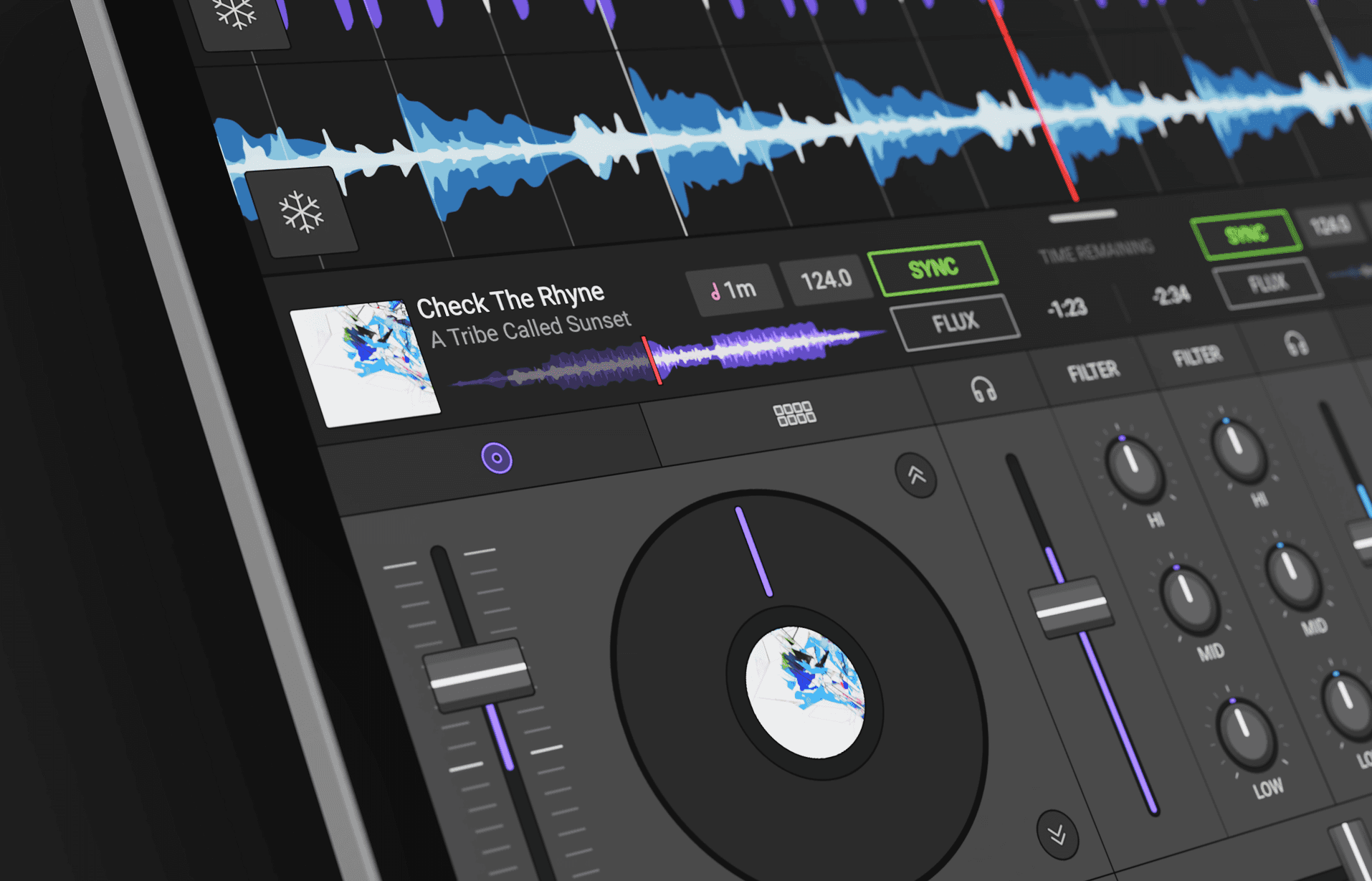
Traktor DJ 2 introduced a modular architecture for different ways to play, letting users move between deck views and the original waveform-first performance view.
Traktor DJ 2 introduced a modular architecture for different ways to play, letting users move between deck views and the original waveform-first performance view.
Traktor DJ 2 introduced a modular architecture for different ways to play, letting users move between deck views and the original waveform-first performance view.
Traktor DJ 2 introduced a modular architecture for different ways to play, letting users move between deck views and the original waveform-first performance view.
IA prototype I built in Framer classic
I revisited core gestures to make them more predictable. Looping moved from a hidden two-finger gesture to an explicit visual handle on the waveform.
I revisited core gestures to make them more predictable. Looping moved from a hidden two-finger gesture to an explicit visual handle on the waveform.
I revisited core gestures to make them more predictable. Looping moved from a hidden two-finger gesture to an explicit visual handle on the waveform.
I revisited core gestures to make them more predictable. Looping moved from a hidden two-finger gesture to an explicit visual handle on the waveform.
Interaction prototype I built in Framer classic
I modernized the UI with a flatter, more modular visual system that could support a wider range of views and devices. Color became a key mapping tool, helping users connect each waveform to its corresponding deck.
I modernized the UI with a flatter, more modular visual system that could support a wider range of views and devices. Color became a key mapping tool, helping users connect each waveform to its corresponding deck.
I modernized the UI with a flatter, more modular visual system that could support a wider range of views and devices. Color became a key mapping tool, helping users connect each waveform to its corresponding deck.
I modernized the UI with a flatter, more modular visual system that could support a wider range of views and devices. Color became a key mapping tool, helping users connect each waveform to its corresponding deck.